croon: Synced Lyrics in the Terminal, for Whatever Is Playing
Detecting the currently playing song system-wide on macOS, fetching time-synchronized lyrics from LRCLIB, and auto-scrolling them in the terminal — with a four-backend fallback chain because there is no one way to ask macOS what is playing.
croon shows time-synchronized lyrics for whatever is currently playing, in your terminal. Lines highlight and auto-scroll in time with playback.
uvx croon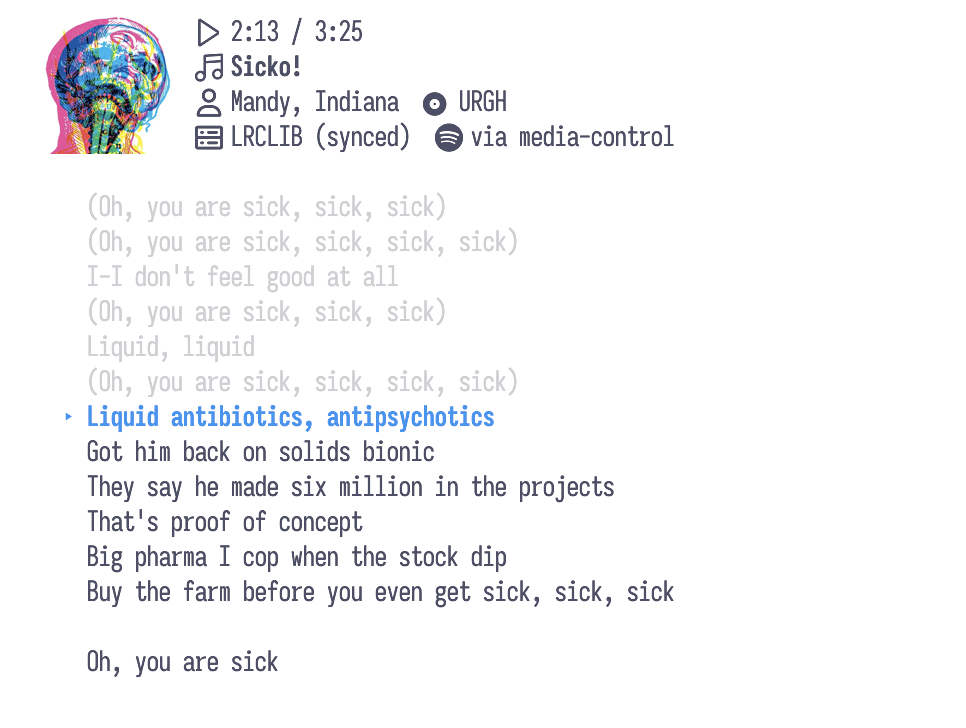

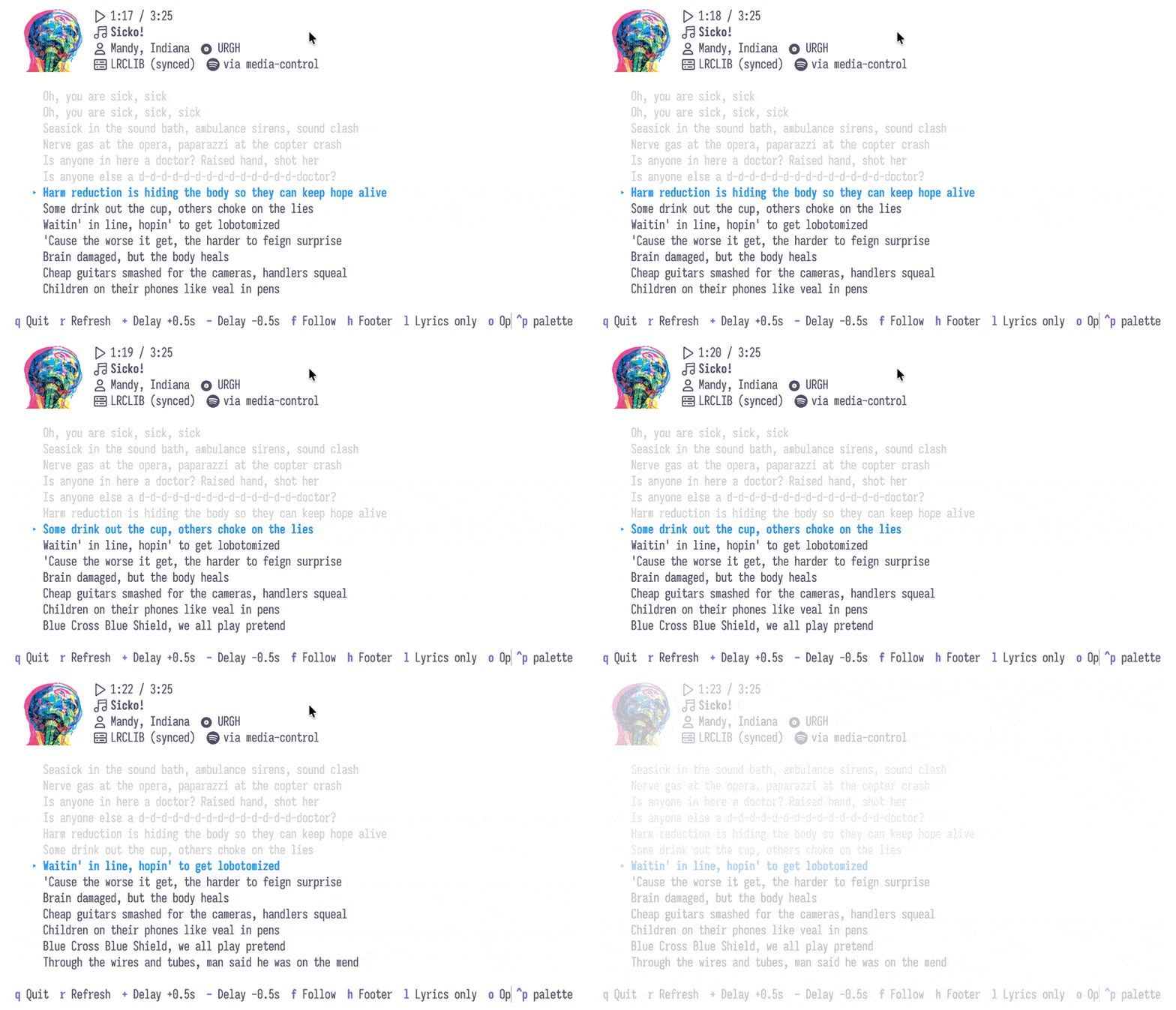
The scrolling is the feature: a static screenshot cannot show that the highlighted line is tracking playback.
The interesting part is not the display. It is that “what is playing right now” turns out to have no single answer on macOS, and that free synchronized lyrics are a more solved problem than I expected.
TL;DR — the two problems this solves
Detection: there is no one API for “what is playing.” croon tries four backends in order and remembers the first that works — see the fallback chain.
Lyrics: LRCLIB serves time-synced lyrics free with no API key. Genius is the fallback, but it only has plain text — no timestamps — so position is estimated from track progress there.
Four ways to ask what is playing
macOS has no stable, universal “currently playing” API available to a terminal program. What it has is several partial answers, each covering a different slice of the problem. croon tries them in order and remembers the first that works:
| Backend | Coverage | Requires |
|---|---|---|
media-control | System-wide, macOS 15.4+ | brew install media-control |
nowplaying-cli | System-wide, older macOS | brew install nowplaying-cli |
| Spotify via AppleScript | Spotify only | nothing |
| Apple Music via AppleScript | Apple Music only | nothing |
The ordering is deliberate: system-wide first, app-specific as the
fallback. The AppleScript backends work with no install at all, which means
Spotify and Apple Music users get a working tool immediately — but they only
ever see that one app. Installing media-control upgrades
you to everything, including browser playback and VLC.
The first AppleScript call triggers a permission prompt
macOS gates AppleScript automation behind a per-application consent dialog, and the application it asks about is your terminal, not croon. If you decline it, the Spotify and Apple Music backends silently stop working from that terminal.
Synced lyrics are a solved problem, mostly
The display side depends on getting timestamps, and this is where LRCLIB matters: it serves time-synchronized lyrics, free, with no API key. That is the whole reason a scrolling terminal lyric view is feasible at all.
When LRCLIB has no synced version for a track, croon falls back to fetching plain lyrics from Genius. That degrades gracefully but genuinely:
Genius has no timestamps
Genius only carries plain text. With a plain-lyrics source, croon estimates position from the track’s progress percentage, so scrolling is approximate rather than synced. The header always shows which source is in use, so you can tell at a glance whether the highlight is authoritative or a guess.
This is why the header carries the lyrics source alongside the position and the winning detection backend: when something looks wrong you can tell which layer to blame.
Two affordances exist because metadata is often wrong or missing:
sopens a search box pre-filled with the detected artist and title, so you can correct a bad match by hand. Player metadata for browser playback in particular is frequently junk.+/-nudge the sync offset by ±0.5 s. A non-zero offset shows in the header (delay +1.5s) so a drifted session does not silently look broken.
Keys
| Key | Action |
|---|---|
q | Quit |
r | Refetch lyrics |
s | Edit / search for the current song on Genius |
+ / - | Nudge sync offset ±0.5 s |
f | Toggle auto-follow (free scrolling) |
h | Toggle footer |
l | Lyrics-only mode |
o | Open the song’s Genius page in a browser |
Wrapping up
The lesson that generalizes past this toy: when a platform gives you several partial answers instead of one good one, an ordered fallback chain that remembers what worked beats picking a single backend and documenting the limitation. Spotify users never install anything. Everyone else installs one Homebrew package and gets the whole system. Nobody has to read a compatibility table first.